Category: Essay Blogs

In this section, you will learn more about essay writing and why most students world-wide need a little essay help to succeed in their studies. We will advise you on how to get the best essay writing services and why this is the best place to get such help.

This is an important category in our website as it relates to our core function as an academic assistance service. In this section, we post more information on factors to consider before getting essay writing services and why taking precautions is perhaps more important than anything else.

We also guide you on the best way to get our essay writing services, from ordering, chatting with the best essay writers, and giving your instructions. We will explain why our writers are the best and above all guide you on how to maintain your cobfidentiality as you seek essay help from them.

  • Mettl Proctor and Cheating: How it Checks to Detect Cheating

    Mettl Proctor and Cheating: How it Checks to Detect Cheating

    Mettl is an online tool that detects cheating in coursework. It is applicable to thousands of schools, universities, and businesses worldwide as a coursework anti-cheating/plagiarism system.

    As such, it allows staff and students to easily monitor if a student copied and pasted work into their submission, completely re-worded work, or submitted duplicate work!

    How does Mettl Detect cheating?

    Mettl detects cheating by using biometric authentication and combines it with facial recognition, IP detection, and flagging proctoring software to ensure no cheating happens on the platform.

    It also uses artificial intelligence to identify uncommon patterns in test-taking behavior and generate an alert for human inspection.

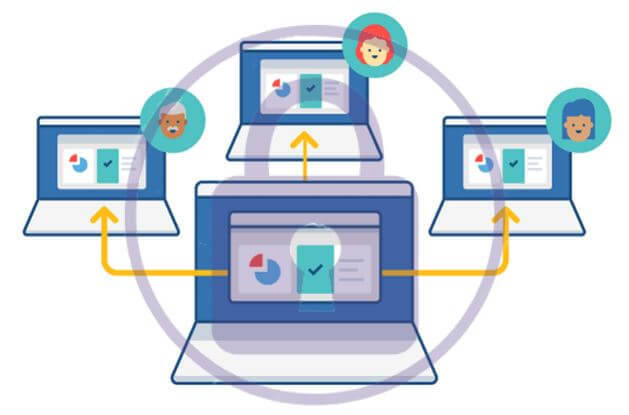
    using mettl

    Mettl’s anti-cheating features can detect and prevent cheating during the test.

    Mettl has some of the most advanced mechanisms to detect cheating. These features include:

    1. Monitoring candidates through web cameras and audio recordings.

    2. Monitoring the candidate’s desktop activity through screen recording.

    3. Monitoring the candidate’s system activity through process monitoring.

    4. While taking tests with a time limit, an automated feature detects if a candidate leaves their seat during the test and suspends the timer until they return to their seat in front of the camera.

    5. If a candidate is sitting in front of the camera but not interacting with the test for 10 minutes, then the system will automatically suspend the timer and ask them if they wish to continue with the test.

    If there is no response from the candidate for 30 minutes, then their attempt will be terminated automatically and submitted for evaluation as well without any penalty on accuracy score or negative marking applied on incorrect answers given by them. [For public tests only]

    Security Measures to Ensure that there is no Scope for Cheating

    1) A unique mechanism to detect if a candidate does not use his own system/computer for taking the exam.

    2) The test is time-bound and never paused (unless the candidate has availed the option of using the restroom)

    3) No one else can view the questions or take the test in your place.

    4) The candidates should not open any other window during the test which might enable them to cheat.

    5) In case of high-stakes tests, we would also advise instructors to take out a webcam proctoring session with the Mettl center, where they would connect with the candidate via webcam and monitor them while they take their test.

    Can Mettl Detect the Following on your Computer?

    1. Open Tabs

    Mettl does not monitor the open tabs on your computer. However, the system takes a screenshot regularly to check for any suspicious activity.

    For example, if you are browsing through a different website or another testing window is open on your computer, the system might capture this.
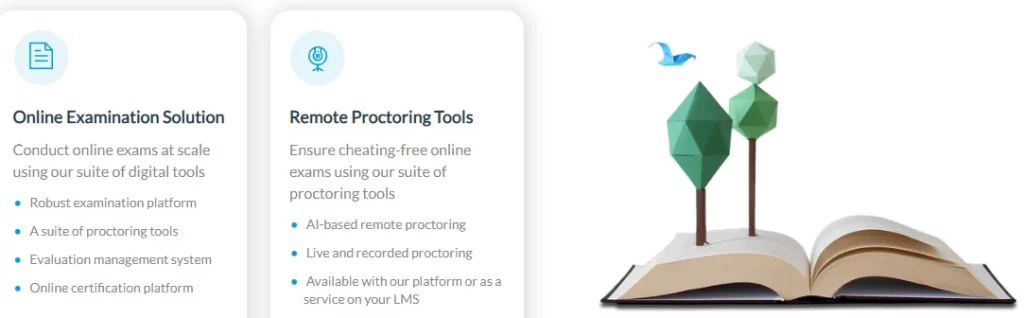
    how Mettl works

    Mettl does not have the capability to detect open tabs on your computer.

    However, they consider suspicious behavior during the assessment, which can include opening new tabs in the browser.

    If you open multiple tabs, you will likely be caught and lose marks for attempting malpractices.

    2. Switching to Other Devices

    Mettl’s proctoring tool monitors the test taker using the webcam and the test taker’s laptop microphone. It is a server-based technology and does not use any software on the test taker’s computer.

    Hence, it cannot detect whether a test taker switched to other devices during the exam.

    3. Copy-Pasting

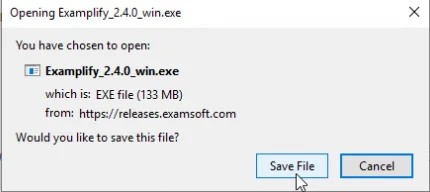
    Mettl lacks software or tools to monitor copy-pasting from your computer. This is different from other applications; see how Examplify works. In the case of a proctored assessment, the proctors can only detect the following:

    1. Unusual activity on your machine like opening new browser windows, minimizing the browser window, or navigating to other web pages

    2. Unusual activity in front of your webcam, such as talking over the phone, looking away from the screen, or receiving help from others during the test.

    3. If our proctoring experts detect a suspicious incident, we will cancel the assessment, and you may be blocked from taking any more tests on our platform.

    4. HDMI

    Mettl can detect the presence of an HDMI port on a candidate’s computer. This is possible via a software check. This information appears on the right panel of your test window during an active test.

    Please follow these steps if you want to activate HDMI detections:

    • Turn on your computer’s webcam using the switch button if you have one.
    • If your machine does not have a hardware button, turn on the webcam by enabling it in the settings section of your laptop.
    • You can use the HDMI cable to connect with other devices with the Mettl application window open and then turn on your device like a TV.

    5. Your eye Movement

    Mettl’s sophisticated psychometric assessment uses a webcam to monitor your eye movements while taking a test. This is similar in concept to lie-detection tests.
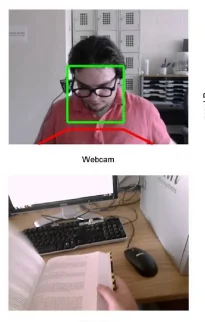
    exam cheating

    The software records the time taken by you to reply, the number of times you look back and forth, etc. It also detects if you are taking help from someone else.

    The results of this analysis are used to validate your responses, which helps examiners identify the best candidate for a particular job.

    The software does not record or transmit any video or audio data – only the time and duration of your eye movement are recorded in encrypted form on our servers.

    Notably, the software works consistently well across different users and systems.

    6. See Your Screen

    Yes, Mettl can see your screen and record your video. Mettl has a screen-sharing option to make your exam more secure.

    You can share your screen directly with the proctor while taking the test. The proctor will not be able to record or take any screenshots of your screen without your permission. This is a straightforward process.

    7. Detect Phones

    Yes, Mettl can detect phones on your computer. Before you start a test with Mettl, it is important to ensure that your system has all the requirements that are needed to run the test.

    Mettl can detect mobile phones on your computer. During the pretest checks, if it detects that a mobile phone is connected to your computer, it will not allow you to continue the test and will ask you to disconnect all the phones from the computer before starting the test.

    How Students Cheat Mettl during Exams

    Cheating is a common practice for students in the Mettl online exams. To help you understand how they cheat, we have made a list of methods the students use to get higher exam scores and outsmart the system.

    1. Switching Between Tabs

    Students can easily switch between different tabs to open up other websites and get help in finding answers to the questions. They can ask their friends or use search engines like Google to find answers.

    2. Using Multiple Devices
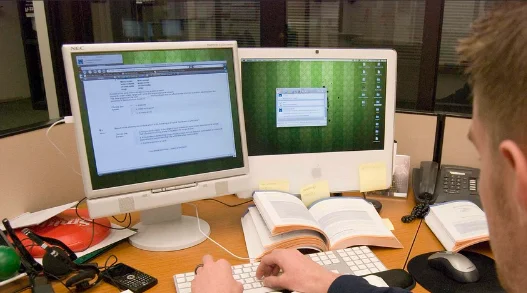
    cheating with multiple screen

    A lot of students give their online exams on mobile phones and tablets. A computer with a large screen is easier to spot, whereas smart devices are hard to notice.

    Students can easily give an exam on mobile phones without anyone knowing by simply hiding it somewhere during the exam.

    3. Using Multiple Accounts for Taking the Same Exam

    Some students create new emails every time they need to retake an exam, which makes it harder for recruiters to track them down if they get caught cheating.

    These email IDs are usually anonymous and do not contain any information about the student’s true identity, so even if he gets caught, his university or college authorities cannot track him down.

    4. Inconsistent Keystrokes

     Some candidates attempt to cheat the typing test by using online tools such as text expanders, which allow them to type lengthy words with a single keystroke.

    A candidate may get asked to type ‘happy new year. The candidate types some special character which is then converted into ‘happy new year’ through text-expander software.

    Mettl does not detect such inconsistencies in typing patterns and verifies them through video recordings of each candidate.

    5. Use of Online Tools

     Candidates sometimes use online tools available on Windows and Mac to change the exam window so that they can access other applications while attempting their test.

    The candidate may minimize the browser window, open another application and refer to notes while attempting the questions in the minimized window.

    Unfortunately, Mettl blocks all such attempts and secures the browser window so that no other application can access it simultaneously.

    6. Use Search Engines

    The internet can be your best friend during examinations. You just need to know how to use it properly without falling into the traps set by the exam proctors. Most students conduct searches like ‘Mettl test answers’ or ‘Mettl test cheats’ on Google.

    This way, they will find many results with answers provided by other candidates who have previously appeared for such tests.

    However, there might be a slight change in the pattern of questions, and this is why you should never copy-paste answers directly from search results. Instead, try to understand what the answer is.
  • Can Examplify Detect Cheating, Phones, Screen or Copy paste

    Can Examplify Detect Cheating, Phones, Screen or Copy paste

    Examplify is the world’s most advanced technological tool for identifying and preventing cheating in exams.

    With this software, you can monitor, detect and prevent exam irregularities such as censorship and plagiarism, data theft, code sharing, and question passing during exams.

    Can Examplify Detect Cheating?

    The answer is yes, Examplify can detect cheating if a proctoring software flags suspicious activity during the exam.

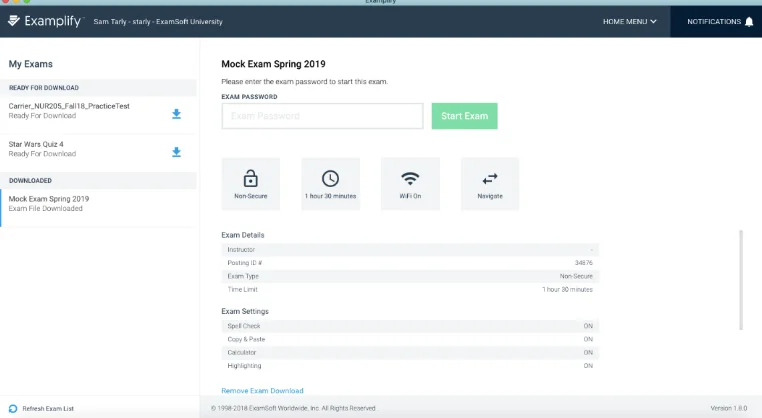
    Examplify is an assessment program that enables exam delivery on devices such as iPads, Windows desktops, and laptops so that you can securely complete your exams. It uses a range of techniques to prevent and detect cheating, including:

    exams in Examplify
    • Randomizing the location of answer options,
    • Prohibiting screengrabs,
    • Prohibiting copy/paste,
    • Locking down devices during exams,
    • Detecting and reporting unusual behavior, and
    • Monitoring device usage using a camera.

    How Examplify Detects Cheating

    Examplify uses an effective method of identifying cheating. It can detect behaviors that are not typical of a human test taker as opposed to an automated system that one uses to answer questions. Examplify identifies behaviors such as:

    Examplify-for-windows
    • Rapid mouse movements by the examinee indicate using a script or other automated means of answering exam questions.
    • Mouse movement patterns indicate the examinee is moving the mouse pointer around but not clicking on answer choices.
    • This could indicate the examinee is moving the cursor around to locate an answer elsewhere on the screen.
    • Inactivity from the examinee for more than a few seconds while no questions are visible on screen (i.e., when they view instructions). It is unlikely that a test taker would remain inactive while reading instructions or before beginning an exam.
    • Very rapid clicks (multiple clicks within one second) by the examinee could indicate using an automated means of answering questions.

    There are numerous software you can use to detect cheating, learn how mettle works to curb the vice.

    Other suspicious activities include:

    • Taking a screenshot of the exam with a camera or other device.
    • Opening other applications, such as browsers or word processors, during the exam.
    • Plugging in or unplugging USB devices while the exam is in progress.
    • Searching for answers using a search engine while taking an exam.

    Can Examplify Detect the Following on Your Computer

    1. Open Tabs

    In general, Examplify will not detect any open tabs on your computer (i.e., your web browser). However, Examplify does take a screenshot of each student’s desktop before the exam starts.

    The system captures screenshots to document any pre-existing conditions on the test taker’s computer (i.e., software or applications) at the time of the examination for potential future use in post-exam incident investigations.

    It is advisable that students minimize all other applications running on the computer before starting their exam, and refrain from opening any applications until they submit their exam.

    2. Switching to Other Devices

    Examplify can detect switching to other devices on your computer. In particular, it will detect whether one connected another device to the computer. So, if you are using a second screen or additional devices e.g. an additional monitor, it is advisable to close all other applications and disable networking on your computer.

    3. Copy-Pasting

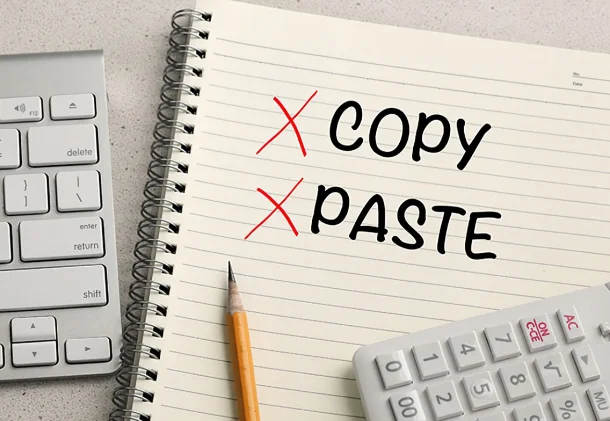
    The Examplify software can detect copy-pasting during the exam, and will report it to your dean. The Examplify software has many different tools at its disposal to prevent exam takers from copying and pasting information from other sources. These tools include:

    no copy-pasting
    • It takes a screenshot of the computer desktop with each keystroke and mouse click,
    • It locks the clipboard so that you are unable to copy and paste the content into the exam,
    • Disables the Windows Task Manager ensuring you cannot open any other application on the computer, and
    • It disables the right-click function so that you are unable to pull up a separate browser window with information.

    4. HDMI

    Examplify for Windows & Mac does not detect external monitors connected through HDMI. If you are taking a test with Examplify, and need to connect your machine to an external monitor, you will need to ensure that you connect your monitor via a VGA connection.

    You can use the ‘Detect and configure’ feature on the menu bar under ‘Examplify’. When you use this feature, Examplify will check for audio devices (both your computer’s internal speakers and microphones as well as any external headphones or microphones you might have plugged into your computer).

    Note: The ‘Detect and Configure’ feature requires that your exam settings allow you to use an external microphone.

    5. Your Eye Movement

    The Examplify program uses the webcam on your computer to monitor your eye movement during the exam and to limit the window of opportunity to open other software applications.

    You must have a functioning webcam and microphone supported by Examplify. The first time you run Examplify, it prompts you to allow the application access to your camera and microphone. To ensure that Examplify can fully monitor your eye movement, you must grant permission.

    6. See Your Screen

    Examplify will not see your screen. However, if you are using a Mac and connected to an external monitor, Examplify will be able to see your screen. The only way to prevent this is by disconnecting the external monitor.

    Alternatively, it uses the following techniques to support its function:

    • If you are using a laptop, Examplify can only detect your webcam, but not the screen.
    • If you are using a desktop computer, Examplify can detect both your webcam and the screen.
    • When you are using a laptop and connected to an external monitor, Examplify can detect your webcam and the external monitor.
    • Examplify cannot see anything that is outside the browser window during an exam.

    How Students Cheat Exemplify During Exams

    Cheating during an exam refers to looking for unpermitted materials or information to use to improve grades or obtain certification. However, new technologies created opportunities to cheat in new ways as listed below:

    1. Use of Mobile phones

    using a phone to cheat

    Today, the mobile phone is a tool that many Examplify cheating students use to pass their tests.

    Students can easily and quickly spread information about the questions of an exam with the help of their phones. And some even go further by bringing ready answers in digital form to copy directly from their phone screen.

    Therefore you as an examiner must be aware of what your students can do with their mobile phones during an exam and how they can cheat Examplify with their mobile phones during an exam.

    2. Using multiple machines/computers

    If you have access to multiple computers/machines and can write on them, you can easily cheat by having 1 computer with the exam open and 1 or more computers with the internet and other resources open.

    Simply look up answers and write them down to then transfer over to the computer with the exam open

    3. Using a Virtual Machine (VM)

    Using a VM is slightly more complicated but still very easy if you have a computer that meets the minimum requirements (6th gen Intel i5 or better). Here is how they do this:

    • Create a virtual machine on their MacBook using virtualization software like Parallels or VMware Fusion.
    • Install Windows OS in their virtual machine and use the Windows version of the “Examplify” application to take the exam.
    • During the exam, open the browser from the Mac operating system and search the internet for the answers to the questions asked in the exam.
    • Copy-paste these answers in their exam from a Mac browser to Windows VM running Examplify app.
    • After completing the exam in Windows VM,  reset or close that VM and restart that OS to get rid of any evidence of such activities.
  • How to write College Essays about Video Games like Minecraft

    How to write College Essays about Video Games like Minecraft

    Video games are one of many topics on which you can write an essay. A video game is an electronic game. The player interacts with a user interface to receive visual feedback on a video device.

    Video games are becoming more popular these days. And, more children are joining the craze of playing them.

    The gaming business must conduct a thorough investigation and develop more inventive and useful games. It is essential to have games that bring good to future generations and prevent harm and behavioral pattern changes.

    However, it isn’t advisable to use a video game essay to write your college application.

    As you may be aware, most schools, including leading public universities use the holistic admissions approach. It means that admissions officers will consider the applicant’s accomplishments in addition to their GPA and test scores.

    And, as you might expect, an app that focuses solely on your gaming prowess will likely work against you, limiting your options significantly.

    Why is Video Games a Good Topic for College Essay

    playing a video game

    Video games are the current craze, and people of all ages enjoy them. Playing video games may enhance visual abilities and cognitive function.

    Video games can also help people become more spatially aware.

    When a person’s eyes concentrate on a video game, they are more likely to have various eye strengths following brain training.

    Action video games teach the brain how to handle visual information more efficiently. When people play action video games, they alter the visual processing pathway in their brain.

    Video games can modify brain functioning. According to new research, video games can be helpful for therapeutic purposes, stress relief, exercise, positive interactive learning, weight loss, and various patient therapy for individuals worldwide.

    On the other hand, harmful computer games have captured the media. Every channel now deems it their responsibility to educate people about the harm that games may bring to children and adults. The growing number of games with violent sequences irritates society and makes it acutely aware of them. Violent video games cause people to become violent.

    The vast majority of people do not even question this truth. Everyone else claims that the cause is that games are too close to reality.

    There is a common belief that video games normalize violent behavior in the player and make the player pitiless. In this situation, the game is the source of violence. The act of violence is due to the game.

    A psychologically healthy individual will never mix these two worlds or connect them. A game is a virtual environment with visual images similar to real life.

    These graphics are nothing more than simple game obstacles on their own. A game may provide the possibility to “destroy the obstacles” that are not allowed to be destroyed by the rules.

    Yet, it is more a matter of personal preference whether or not to do so. As a result, we might conclude that violence is not an outcome but a cause.

    Naturally, violent people may become frustrated by games and act violently in the “real world.” However, in such a case, the game violence is simply a projection of the player’s aggressive personality.

    How to Write a College Essay about Video Games

    An essay on this topic will assist you in demonstrating a different perspective while also delivering vital information. It would be a terrific topic if you could provide a unique perspective on your function as a game leader.

    writing college essay

    Simply ensure that your links are distinct. If you write it in a way that is particular to you, you should be fine.

    1. Describe your Role

    Many of these games are more complicated than most adults believe.

    However, someone who has never done anything like this before may experience a challenge grasping the notion.

    Be specific but concise, and keep the details to yourself. Gather information from your friends, as many are interested in this type of gaming.

    2. Highlight key Points

    You can talk to them about the most crucial points in your paper. Be realistic when writing, even if you disagree with the facts.

    There will be instances when you have to recognize that games are not always appropriate. Present some of the benefits, even if adults find them harmful.

    3. Use Statistics

    Many video games can be beneficial if people use them moderately. When you want to make a point, use statistics. If you use official statistics and graphs, you will appear more trustworthy.

    Examine the topic from a variety of angles. You can discuss the concept of instructional video games that are more appropriate for young children and teenagers.

    4. Show the Benefits to Children

    Is this beneficial to kids who suffer from anxiety or depression? Remember the influence of the media on the video game industry.

    Video games are produced and sold with the financial might of some of the world’s most powerful corporations.

    Learn how to write a college essay on Music

    How to Write College Essay about Minecraft

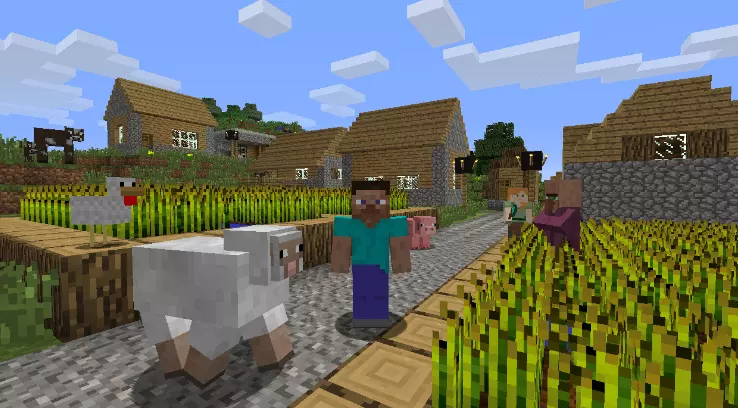
    Minecraft is a popular video game among both kids and adults. Minecraft has grown in popularity because it fosters creativity and adventure.

    playing minecraft

    It has many servers open to the public, allowing you to play with people from all over the world. Players employ blocks to build structures and worlds.

    1. Examine the Diverse Angles

    You can discuss the game from a variety of angles. The game’s popularity continues to rise at a quick rate.

    Thousands of people buy the game daily, and millions have it.

    What aspects of the game contribute to or make it appealing to both youngsters and adults? Minecraft is a user-friendly video game where players construct construction and planets out of bricks.

    2. Touch on Benefits

    Children can use their imaginations by allowing creativity in video games like Minecraft. In real life, most children do not have the opportunity to build castles, zoos, or other similar structures.

    Minecraft’s creative mode, on the other hand, allows children to create worlds. You can highlight the opportunity to learn how to survive via hunting, building shelters, and fending off monsters and mobs. It is another component of the game’s creative use of inventiveness.

    3. Ideal Players

    Minecraft is the ideal game for anyone who enjoys being creative. It features an extensive server network that allows you to play with people from all around the world.

    Minecraft has grown in popularity due to its appeal to gamers of all ages. Its numerous player options offer players the impression that they can do and be whatever they want at any time.

    How to Write a League of Legends College Essay

    League of legends

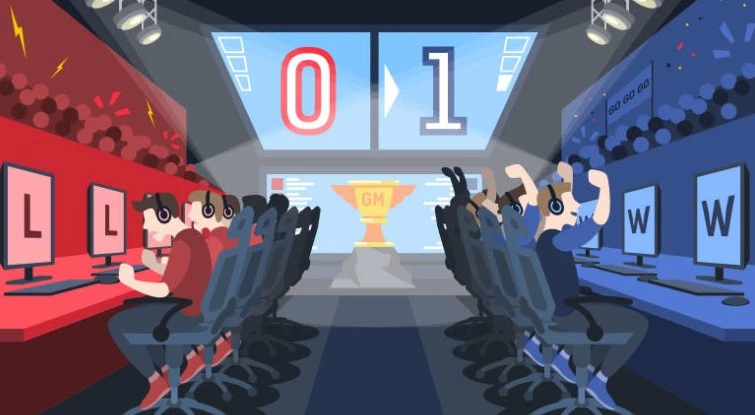
    League of Legends is a free-to-play game of the Multiplayer Online Battle Arena (MOBA) genre. This popular and competitive online game pits two teams against one another vying for a map.

    Players select champion characters with vastly varied abilities and team up to defeat a group of other players.

    1. Give an Overview of the Benefits

    League of Legends is a game that teaches players how to work together as a team. Gaming has evolved, motivating people to push themselves beyond their comfort zones or become better versions of themselves.

    Video games provide players the courage to move forward in their own life by telling them about their characters’ hardships, pain, survival, and dreams.

    2. Describe the Skill Set

    League of Legends is an excellent positive psychology tool since it requires players to use critical thinking abilities. Because it is an online game, parents should monitor their children’s interactions with other players.

    League of Legends is only advised for youth 14 and up due to moderate fantasy violence, blood-like images, online interactions, and the game’s complexity.

    3. Explain the Benefits to Children

    You can describe the benefits the game offers children who require assistance with planning by creating a logical approach to goal-setting and achievement.

    It can also enhance flexibility by helping with adapting and adjusting to new circumstances and expectations. Moreover, all players develop self-awareness and social abilities by understanding their ideas, feelings, and behaviors.

  • Can Students Cheat with Lockdown Browser? what it Detects

    Can Students Cheat with Lockdown Browser? what it Detects

    Most students wonder whether they can cheat if their exams or assignments are done via the proctoring lockdown browser, Respondus. Well, this is not possible, but theories have been put forward. Let us learn more about it.

    Respondus LockDown Browser helps prevent students from copying, pasting, taking screenshots, accessing other applications, using instant messaging programs, and accessing other websites unless it has been configured to allow access to specified external sites. 

    Check out our essay writing service if you would like to get specialized help and avoid such hassles with your homework.

    What is Respondus Lockdown Browser?

    The Respondus LockDown Browser refers to a custom browser responsible for locking down the environment for testing the Blackboard quizzes and examinations.

    using Lockdown Browser

    When you enable the LockDown Browser, the students will have to install the browser on their computer and use it to sign in to the Blackboard before they start taking the test.

    A lockdown browser is best suited for taking tests in a proctored environment like testing centres and class exams. 

    Can Students Cheat with Lockdown Browser?

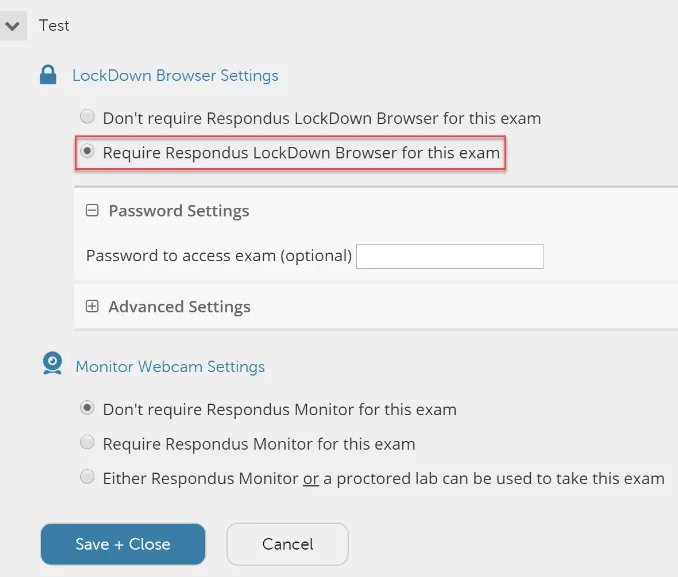
    The Respondus Monitor is an automated proctoring service for the lockdown browser, which uses students’ webcams to help record students when online tackling the non-proctored quizzes and automatically detect behaviors that can indicate there is cheating.

    Basically, students cannot cheat when they are doing exams, tests, assignments or assessments through a lockdown browser.

    This is because it disables all other activities on the computer and leaves no room for copying or searching for answers. It also monitors all computer activities and alerts the instructors of any suspicious activities.

    As an instructor, when you decide to enable this feature for an examination, the students will always be required to make use of a microphone and a webcam with a Lockdown browser.

    After the students have submitted their exam, you can always review the assessment details, including the videos which have been recorded. 

    The monitor, together with a lockdown browser, is an excellent alternative to traditional proctoring. The Lockdown browser has already been integrated with the Canvas at Indiana University.

    It has been used for quite some time in proctoring in-person tests done on a computer. By adding the monitor to the lockdown browser, you will be offered an extra layer of proctoring for the tests taken at a distance.

    The monitor has not been used widely at IU, but it has been used at several universities and colleges. 

    When you are an instructor, before deciding if you should use the monitor and the Respondus LockDown, it is essential that you first consider if this software is perfect for your course.

    To get the best results from using the monitor, you will have to carry out some follow-up exercises.

    For instance, to ensure the right student takes your test, you will have to click on every student in the class and compare every student’s snapshot with the ID photo. However, this can be a lengthy exercise for classes with several students. 

    How does the Lockdown Browser Detect Cheating?

    Using Lockdown to write exams

    When using lockdown browsers, the monitor serves as a deterrent to cheating and helps to confirm the students’ identities.

    The monitor will record the entire testing session on the students’ webcam and uses the software to assist in detecting possible cheating behaviors.

    For example, when looking at another computer or phone, talking to another person inside the exam room, or having another person take the test.  

    After the students are through with their exam, the monitor will provide a visual rating of how the student displayed questionable behavior.

    When you look at the scores indicating a high chance of cheating behavior, you can get into the session of the student recording and look at the time-stamped thumbnails for suspicious actions.

    From such thumbnails, it is possible to move directly to the right sections in the video and decide if any cheating occurred. 

    There are times when the lockdown browser can malfunction. It can either be the students’ computers, the internet, or when the screen can freeze.

    In case you do not see any forced completion on the exams, the students can always get out of the program and back in and continue from where they left off if there is enough time for an exam that has been timed. 

    There is also the possibility of the lockdown browser having an update without forewarning. It should be noted that this browser is one of the ways that online courses prevent cheating and monitor exam integrity.

    That explains why the students are sometimes advised to arrive early in their exam room before the exam time so that they can start the browser in case of any technical issues or updates. 

    Can Respondus Lockdown Browser see your Screen?

    When exam examination requires Respondus Monitor’s use, the LockDown Browser will always access the Respondus Monitor web application before any tests.

    From the end users’ and accessibility standpoint, the technology behind the Respondus Monitor and LockDown Browser is of great importance. The Respondus Monitor will insert a few HTML pages known as the ‘Start Sequence’ along the way.

    In the Startup sequence, the student must perform a webcam check and other options as determined by the instructor. 

    Startup Sequence web pages are just HTML and very supportive of assistive technologies that are compatible with web browsers, including magnification, input, and screen reader technologies.

    There is always a template for Voluntary Product Accessibility that aims to help the contracting and compliance officials make preliminary assessments concerning the Respondus Monitor and LockDown Browser accessibility support.

    However, the template is not a compliance certificate but a starting point for determining compliance accessibility. I would advise you to check how to prepare for exams on Respondus, a lockdown browser.

    Does Lockdown Browser Record you

    The Respondus LockDown Browser, together with the monitor, refers to an application that is capable of recording the student via the webcam while at the same time taking an online test.

    The students will, however, have to access both the functional webcam and the computer. By default, the Respondus Monitor will record both the audio and the video.

    The instructor assigned to watch over you will update you when the online exam requires the Respondus LockDown Browser application. 

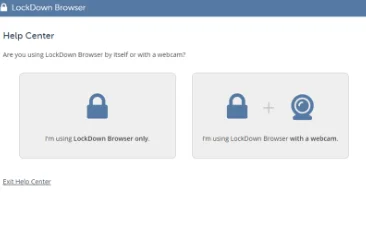
    After installing the Respondus LockDown Browser, you can now open the application. It is, however, suggested that when you click on the Help Center located at the top of the screen to run through the webcam, it is essential that you check the webcam to ensure you are ready before starting the test.

    When your instructor requires the video and audio recording, the startup sequence for the Respondus monitor will start. It is a set of events that take place before the webcam exam starts.

    Ensure you always follow the instructions for each step of the startup sequence. Together with your progress, the actions list will always be shown at the top of the screen.

    The check sequence of the webcam will still occur before the start of the test; hence, it will never consume anytime that has been allocated for the test. 

    It is important to note that the first time the Respondus Monitor will be used on the computer, the webcam check will need you to choose to allow and remember. However, the step will be skipped in the subsequent Respondus Monitor uses. 

    Does Lockdown Browser record you

    Can you Screen share on the Lockdown Browser?

    Several types of applications are always blocked from running simultaneously with the Respondus LockDown Browser. Some of the apps include network monitors, screen capture, screen sharing, and messaging, together with several other application types.

    The forms can also be shut down before the Respondus LockDown Browser start, or you can also allow the browser to close them when it is launched automatically. 

    cannot Screen share on Lockdown Browser
    Screen share on the Lockdown Browser

    The LockDown browser works in the following ways:

    • The assessments are always displayed on full screen, and they can never be minimized 
    • The toolbar options and browser menus are removed for the refresh, stop, back, forward, and stop. 
    • It also helps prevent access to other applications, including screen sharing, messaging, remote desktops, and virtual machines. 
    • Screen capture and printing functions are entirely disabled 
    • Pasting and copying anything to or from the assessment is prevented 
    • The function keys, right-click menu options, task switching, and keyboard shortcuts are all disabled 
    • The evaluation can never be exited until such a time when students submit it for grading 
    • All the assessments set up for use with the LockDown Browser can never be accessed with the other browsers. 
    Get an Original Essay Today

    Are you burdened by homework, and you need a little help? Let our experts help you with it. We will deliver a quality essay and

  • How to write eSports Research Paper: 15 eSports Essay Topics

    How to write eSports Research Paper: 15 eSports Essay Topics

    eSports, or electronic sports, is a type of video game competition. These games are played in highly organized environments where the gamers who participate in this gameplay against each other to win.

    To achieve this, the gamers play as a team, one unit. Therefore, to write an eSports essay or paper, you will need to focus on the whole spectrum.

    If you cannot write your eSports paper, feel free to seek our term paper ghostwriters to handle the task for you and score the grade anonymously.

    But in this article, we will discuss how to write an eSports research paper, besides some common research paper topics, and the challenges you are likely to encounter when writing an eSports paper.

    How to Write an eSports Research Paper

    A student undertaking a research paper on eSports should be independently investigating intending to solve challenges in video gaming culture.

    research on esports

    Note: Although there is a standardized research paper format, the writing format guidelines and Professor may differ from one institution to the other.

    Do not overlook the how-to guidelines given by your Professor.

    To effectively write a paper on eSports, you should prepare in the following ways;

    Step 1: Understand the assignment and choose a topic

    For an eSports research paper to be completed, a student must have accomplished the specific tasks outlined at the onset. When selecting a topic, consider the following;

    • It should not be boring to you; choose a topic you are interested in
    • It should not be too broad; narrow down your topic
    • It should not be too general; go for topic ideas that are both original and specific.

    Remember your time frame and word limits. Plan well to have enough time to research, write, and edit.

    Also, when coming up with a topic of research, the content of your paper can be;

    esport research paper
    • Empirical content- you write your paper based on experiences and observations from analyzing practices and processes by players or the game’s specialists. The content usually seeks to train and educate.
    • Theoretical content- you write your paper based on the analytical data collection.
    • Constructive content- you can write your paper based on the materials used in eSports to describe their effect on the game.
    • Experimental content- you can also write your paper based on your research.

    Step 2: Develop a Thesis Statement

    A thesis statement is a central argument that establishes the position and purpose of your paper. It is the guide to your reader from the beginning as it describes the main idea. To arrive at your thesis statement, you need to formulate your research questions. In a research question, you seek to complete the question, “I want to know why, when, how…..”

    Formulate your ideas using various sources such as journals, reliable websites, Newspapers, books, and periodicals.

    As you read and take notes of the information you discover, keep track of your information sources. This will help you when citing them and when creating your bibliography later.

    Ensure your thesis statement is concise, coherent, and debatable. It should also reflect on the type of paper you are writing. This will help you to stay focused. In summary, your thesis statement should be one sentence or two.

    Step 3: Create your eSports Paper Outline

    Well, you have a lot of information regarding your topic. That is great. However, all the ideas can be messy if not organized and appropriately outlined before you start writing. An outline makes the writing process much more efficient.

    After writing your thesis statement, come up with the main points that you will use to support it. The main points will be the sub-headings. From here, concisely organize your ideas and information under each subheading.

    Keep in mind; you may have learned and collected a lot of fascinating information, but not all of it is suitable or should be written in your paper. If it doesn’t align with your thesis statement, leave it.

    For your eSports paper writing, an outline should include:

    • A title page
    • An abstract
    • List of symbols( if applicable)
    • An introduction
    • A methodology section
    • Results and findings
    • Discussion
    • Conclusion.

    If you are not presenting a long paper, your outline can have three sections; introduction, body, and conclusion. In the introduction, you state your thesis and research query.

    In the body, you discuss your arguments and research results. Finally, in your conclusion, give the significance of the topic and a summary of the key points.

    Step 4: Write the First Draft

    Usually, the first draft is not the perfect copy. It requires some polishing. However, to finish your research paper, have a forward momentum that you write now and edit later.

    Secondly, logically order sentences and paragraphs while paying attention to clear organization. Lastly, let your ideas be expressed clearly so they may be understandable to you and your readers.

    You don’t need to start with the introduction; start with what you prefer. Usually, the first draft won’t be perfect.

    Step 5: Edit and Revise your Research Paper

    You aspire to get a high grade and have outstanding work. To achieve this, you will occasionally revise your first copy to make it perfect. It is a worthwhile task.

    writing esports paper

    Ensure your thesis is clear and to the point. Make sure your ideas flow from the beginning to the end.

    Avoid generalization and ensure your work is factual and you have used concrete details.

    Make sure your arguments support your thesis and have no repetition.

    Ensure your work is appropriately cited and plagiarism-free.

    In addition, ensure your content doesn’t have filler words and that your language is specific and clear. Make sure your sentence flow is smooth and precise. Lastly, check for grammar, punctuation, and spelling.

    15 Common eSports Paper Topics

    As eSports explodes in popularity and sometimes surpass the viewership of traditional games, research has been done on this competitive game.

    Any research on eSports can be done in cognitive science, informatics, business, media studies, sport science, law, and sociology.

    This help realizes eSports academic research’s current state and pinpoint connecting research questions, findings, and other trends across these fields.

    The following are some of the topics that can be researched;

    1. Health promotion and personal physical activities in eSports.
    2. Effects eSports have on personal neurocognitive, motor, and behavior aspects.
    3. Tendinopathies in eSports.
    4. Personal physical activity levels of older virtual football players.
    5. Digitization of sports and esports.
    6. eSports management: understanding eSports in the digital world.
    7. eSports: focusing on the future playing.
    8. Advancement in computer video gaming and eSports.
    9. Effects of eSports for senior citizens.
    10. eSports careers.
    11. Addiction and health concerns in eSports.
    12. How esports works in education
    13. eSports: Its history and how to get started.
    14. Leagues and tournaments, Players and teams in esports
    15. eSports ethics and legal concerns.

    Challenges when Writing an eSports Essay

    Any research is a critically challenging task requiring in-depth knowledge of the topic of discussion. Furthermore, the job requires proper planning and handwork.

    esports paper

    As a student, you will face the following challenges in writing your eSports research paper;

    • Lack of enough information to support your thesis
    • The challenge in deciding the research topic
    • Failure to understand the subject matter
    • The challenge in finding specialized, modern, and related references
    • It’s a challenge finding eSports study participants
    • The challenge of choosing the suitable methodology
    • The challenge of getting institutions to participate
    • The challenge of working on your plan and staying motivated
    • It can be a challenge to make the collected data make sense or come out correctly.

    It is possible to ease the burden of the above challenges. The topic of your research will dictate how challenging or not it will be to write your paper. The key is focusing on your objectives and work plan.

    If you cannot get past these challenges, feel free to ask for our help.

  • Can a Research Paper or Essay Have Pictures or Images: Tips

    Can a Research Paper or Essay Have Pictures or Images: Tips

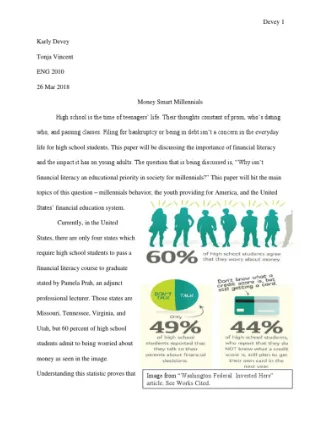
    If you are writing a research paper, does it require pictures? Many academic papers are full of nothing but text. However, if your professor wants you to include images in your research paper, you might wonder if that is just for appearances or practical reasons.

    The visual component can greatly improve the value and credibility of your work. If you have a large number of images and graphics that contribute to your whole research project, chances are they are going to include plenty of charts and graphs. Read on for more insight. 

    Can a Research Paper Have Pictures?

    A research paper can have pictures if they help in reinforcing an argument or illustrating the idea that one is presenting. However, inserting pictures in an essay can be tasking and needs to formatted within the guidelines of your faculty. In addition, they should follow the referencing style being used.

    At the same time, inserting pictures depends on the format of the paper such as the margin and the alignment of the paper. It also depends on the type research paper you are writing.

    As a result of such variations and factors, many different types of papers use images in one way or another.

    research paper with images

    As for research papers, many different kinds of documents fall under this category.

    Some papers require visual aids to make their point, while others do not.

    For example, a paper that seeks to prove that a certain event happened would require evidence, perhaps including images of places or people involved in the event. Other papers may not require images at all.

    The bottom line is that whether you can include images in your paper depends on the kind of paper you are writing and what information you want to convey.

    If you want to show something visually, an image might be appropriate for your paper. If you wish only to describe something using words, no image is needed. 

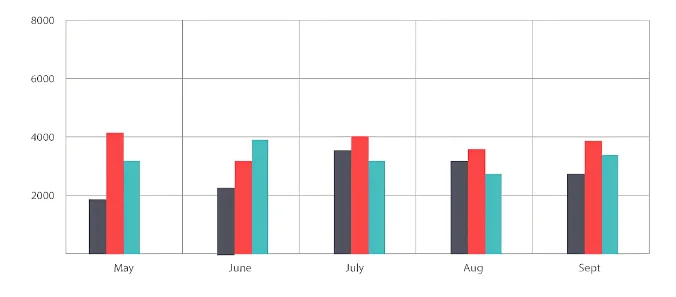
    A picture’s worth a thousand words, they say. If it is relevant, a graphical depiction of data may be just what your readers need to understand your findings. But do not just slap a chart or graph into your paper and call it a day. It needs to stand on its own and provide context for the research it illustrates.

    When Pictures Improve a Research Paper

    A research article with pictures can grab a reader’s attention, who may not have time to read an entire research paper. A picture can be worth a thousand words in capturing readers’ attention.

    unique image

    If you are writing a research paper that includes pictures, make sure they are integrated into the flow of your paper.

    Pictures can serve as excellent supporting evidence for your topic, but make sure you focus on your topic and maintain the point you want to make in the body of your paper.

    If you decide to use a picture or other illustration, make sure it is high quality and captures the essence of your topic.

    Pictures can capture your reader’s attention, but they must also support or enhance your topic or main point.

    How to Insert Pictures in a Research Paper

    A good picture can help readers understand what you are writing about and make your paper more interesting. There are several ways to design a research paper with pictures.

    1. Use the Right-Justification Method

    This method is convenient to insert single pictures in APA-style papers. Place the cursor where you want the picture to show up and click on Insert, then Picture to find the picture you want to add. Click on OK and then click on the image. 

    Right-click on it and click on Format Picture, then select Layout. Under Layout, select In Line with Text, and then under Position, select Right. This will place your image on the right side of your paper and allow you to write text next to it.

    2. Use the Center Method

    You can also center images by placing your cursor at the beginning of a new line. Click on Insert, then Picture, find the picture you want to insert and click OK.

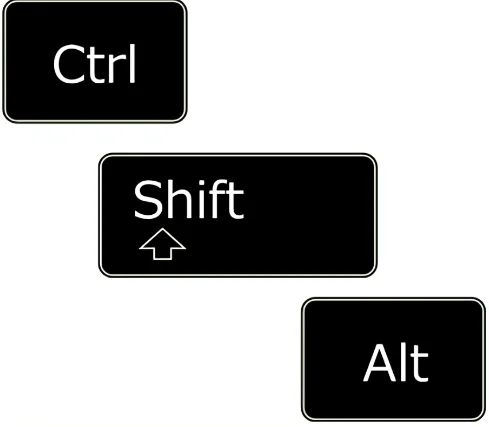
    Click on the picture and right-click on it while holding down Shift+Ctrl+Alt keys together until a gray box appears around your image. 

    Click on Format Picture and select Layout. Under Layout, select In Line with Text, and under Position, select Center.

    Shift+Ctrl+Alt keys

    This will center your image in a paragraph of its own so that there is no text above or below

    Here are some points that may help you insert pictures in a research paper:

    • The image should be of good quality and must not be blurred.
    • The picture should be placed such that it is the highlight of the paper.
    • The picture should be properly framed and provided with a caption to look more appealing.
    • While inserting pictures, care should be taken regarding the copyright and other permissions required, if any.

    How to Insert the Following into a Research Paper

    1. Graphics

    a. Insert a graphic or figure into the document. If you have created the graphics, you can insert them as an object or picture. If you are inserting an image from a file, use the Insert menu select Picture and From File. Find the image in your files and insert it.

    b. Format the figure caption: Choose Format menu, Caption command (or right-click on the graphic, choose Caption).

    In the Caption dialog box, choose Figure (because it is a graphic) in the Label box; type a caption text that briefly describes what is shown in the graphic; click Numbering to apply automatic numbering to your captions.

    You can also choose Position to place your caption below or above your graphic (or you can put it inline). When finished, click OK.

    using a graph

    c. Place your cursor after the caption and press Enter twice to create one blank line between the graphic and its caption and another blank line between the caption and any following text. This will allow space for page breaks within your document if needed.

    d. Insert cross-references: If you have more than one figure in your paper and need to refer to it from another location in your paper (say in a results section), you can insert a cross-reference.

    2. Charts

    Charts and diagrams work to improve your paper’s readability and visual appeal. They are especially useful in papers that discuss complex subjects.

    Microsoft Word makes it easy to add these elements to your document, and you can modify them at any time if they don’t look quite right.

    a. Open the document in Microsoft Word in which you want to insert a chart or diagram. Click the “Insert” tab at the top of the screen and click “Chart.”

    A list of chart types will appear on the left side of the screen. Click on one of the types to see an example of that type of chart on the right side of the screen.

    b. Click on a chart type that you want to use for your document, then click “OK.” A window will open with sample data for your chart.

    You can either add your data in this window or import it from Excel or another program later. You can also change the chart type after it has been inserted into your document if you later decide that you want to use a different chart style.

    3. Graphs

    You can also use these steps to insert graphs from Microsoft Excel into your PowerPoint slides:

    Step 1: Open the graph you want to insert in an Excel spreadsheet. If you have not yet created your graph, create it now.

    Step 2: Click on the graph to select it. Double click on one of its borders if you need to adjust its size or shape.

    Step 3: Press control-c (or go to the Edit menu and choose Copy) to copy the graph onto your computer’s clipboard.

    Step 4: Open up Microsoft Word, and go where you want the graph inserted. Put your cursor right at that spot, then press control-v (or go to the Edit menu and choose Paste). Your graph will now be in your document!

  • How to Write an Essay without Writing it

    How to Write an Essay without Writing it

    Do you have a deadline for an essay for school or university? Do you need to write an essay but also have stuff to do and not enough time? Don’t worry; simply follow these easy steps, and you will write it without writing it!

    The secret is out: If you are writing your dissertation in a pinch or really have no clue how someone can write your essay, this post can be a savior.

    It is a handy guide for academic writing and will help you write even the best essays. Let’s get started on how to write an essay without writing it

    How to write an Essay without writing it

    ready to write essay

    Here is what you need to do:

    • Hire an essay writer
    • Submit the topic and requirements of the paper.
    • Receive several bids from writers.
    • Choose a writer based on their rating and experience.
    • Chat with the writer and ask them questions about your topic.
    • Get a finished paper on time.

    Simply put, hiring professional essay writers is the best way to write an essay without ideally writing it. Only essay writers can help you write engaging essays that will get you the desired grade.

    When you hire a writer, they do everything for you and deliver high-quality papers on any topic without involving you.

    The best writing services will offer you such benefits:

    • Professional Writers. The best writing services hire only professional writers who can provide high-quality papers even in short terms.
    • Plagiarism-free Content. Professional essay writers know how important it is to deliver original content without plagiarism and errors. Therefore, they use only credible sources of information and check each paper for plagiarism with advanced software before delivering it to the client.
    • Timely delivery. The first feature to consider is how quickly an assignment writing service can deliver your order. Most students need their papers as soon as possible, so if a company can meet these deadlines, it definitely has a competitive advantage over its rivals.
    • Affordable Prices. The best writing services know that students don’t have a huge budget and therefore offer cheap papers without sacrificing the quality of service.

    Advantages of Hiring Essay Writers

    There are numerous advantages to hiring professional essay writers for your essays. Some of these are mentioned below:

    1. Affordable prices

    Professional essay writers have affordable rates compared to students who hire them for their research papers and other assignments.

    These writers have adequate knowledge about their subjects so that they can provide you with quality essays that will impress your professor.

    They also care for all your needs, like printing, binding, and filing, so you do not need to worry about them.

    2. Timely delivery

    on time delivery

    Most professional essay writers provide a time delivery facility so that you do not face any kind of problem in meeting deadlines.

    When it comes to academic essays, deadlines are very important because if you fail to meet the deadline, your essay will be rejected by the professor or the school where you want to get admission.

    3. You will get quality essays

    The biggest advantage of hiring professional writers is that you can get quality essays whenever needed. Many people hire writers and get good grades for their work. The quality work from these writers will help you score better grades in your academic years.

    4. Worry-free

    For those who do not know how to write an essay, there is no need to worry as they can take help from professionals and get an excellent piece of paper written by them.

    Most students do not know how to write an essay and often try to avoid writing one altogether because they get scared that they will end up with poor grades or worse – a failing grade!

    Disadvantages of Hiring Essay Writers

    There are several disadvantages to hiring essay writers. In this article, we will discuss the disadvantages of hiring essay writers.

    1. Lack of understanding

    The students hire professional essay writers or agencies for writing essays and assignments. Professional essay writers or agencies may not know properly about the topic you want to write about.

    They will only write what they know and understand. The lack of knowledge may affect your grades in college.

    2. Plagiarized work

    plagiarized work

    Most professional essay writers use plagiarism tools while writing an assignment or essays for their clients.

    The plagiarism tools help them copy the content from different websites and add it to their assignments or essays without giving any credit to the original author.

     If a student submits plagiarized work, he/she may get a fail in that subject.

    That is true since most institutes do not allow submitting plagiarized essays or assignments by their students. Hiring an expert is the best way to write essays without plagiarism and get the score done.

    3. Unethical approach

    Professional essay writers or agencies may only focus on money and not on their reputation in the market. They do not care about whether the client gets good grades in his/her college or institute.

    These agencies only provide you with assignments and essays already written by someone else on your required topics.

    4. Kills Creativity

    When you hire someone else to write your essays, you do not learn as much as you would have if you had written them yourself.

    Some people argue that this is an advantage because it allows a student to save time and focus on other things, such as studying for exams or spending time with family and friends.

    However, we feel that it is important for students to learn how to write their essays so they can develop the ability to think critically and express themselves in writing. No matter what side of the fence you fall on, hiring essay writers will not help you develop these skills.

    5. Costly

    Hiring a professional essay writer can be expensive. The cost varies depending on what type of service you are looking for. Some services offer packages that include proofreading and editing services, while others only offer writing services.

    More complex projects, such as dissertations, can cost several thousand dollars. If you are operating on a limited budget, this may not be your option.

    Risks/Consequences of spinning essays

    There are numerous risks associated with spinning essays and plagiarism, which include:

    A failed test

    Failing the course

    Using a spun essay can cause you to fail the entire course taken by your university.

    In addition, it can also affect your GPA and, in some cases, even lead to expulsion from the university.

    We strongly recommend avoiding using article spinners or any kind of software when writing your essay.

    Damaged reputation

    You can severely damage your reputation as a student once you are caught using plagiarized content in your work. The professor will have no choice but to give you a failing grade or even have you expelled from the class or school.

    In addition to this, they will notify other professors.

    Time management

    When you rewrite an essay, you must manage your time to make things work out. This becomes quite hectic when you are left with little time.

    Therefore, if you want to avoid this kind of situation, you should think about writing a new essay that will take less time than rewriting an existing one. Moreover, this will save your time for other essential tasks as well.

    Quality Deficit

    People write essays under different circumstances; therefore, you cannot expect them to be good quality. It means that the reader will not enjoy reading already written stuff unless it is something new or different from what one did before.

  • Is Spinning text like Quillbot Cheating: Avoid being Caught

    Is Spinning text like Quillbot Cheating: Avoid being Caught

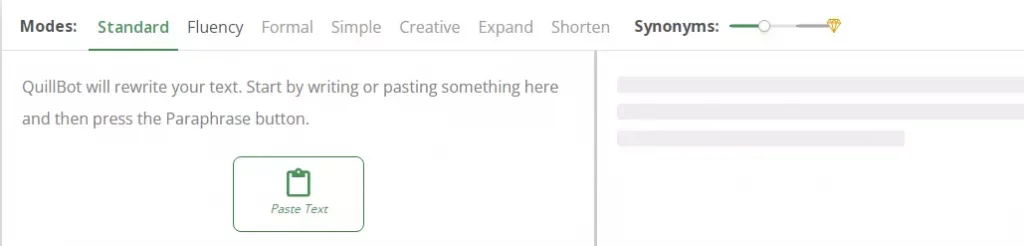
    The use of spinners such as Quillbot is increasingly gaining popularity among students. There are various reasons why it is becoming a trend. Every student desires to get a good grade.

    Apart from that, there is always the duty of meeting deadlines. In that regard, many students resort to shortcuts such as spinners, especially when dealing with a rewriting task. 

    Spinners are applications that allow you to rewrite an essay or past assignment with minimal effort without plagiarizing it. You do not have to find the right vocabulary to replace the original word.

    A spinner such as a Quillbot will bear that burden seamlessly. However, there is always a catch. Educators and teachers can determine the use of text or word spinners.

    Spinners also do not encourage the culture of students doing their work. Despite the changes that might happen in a bid to eradicate originality, there is still no authenticity.

    The spinner only uses synonyms of the original words when rewriting an essay or article. Therefore, the final product sounds like the original work. As such, tutors can realize if the student’s voice in the rewrite is not authentic.

    Is Using Spinners like Quillbot Cheating

    Using text spinners like Quillbot to do your assignment and write your essays is a form of cheating. This is because spinning software is a quick way of paraphrasing another person’s work and presenting it as yours without giving due credit.

    It is not only a form of cheating but also a type of plagiarism, which is academic dishonesty.

    In this connection, you will use an application to rewrite past assignments. There is no hustle of figuring out which vocabulary to use to replace words in the article you are rewriting.

    Such assistance will ensure that you can complete your rewrite within the shortest time possible. Therefore, you do not have to bother reading the assignment as long as the application does the work for you.

    using quillbot

    With spinners, you do not replicate your original voice in your write-up. An educator will not have a feel of your writing style.

    That is a clear form of cheating. For that reason, educators do not advocate for the use of spinners. However, students who are lazy and want to complete their assignments on time can use text spinners. 

    Reasons Why Using Spinners is Considered Cheating

    The use of spinners is an approach that most educators, tutors, and lecturers do not advocate for. First, it does not reflect the student’s work. There is always massive assistance the student receives courtesy of using a spinner.

    plagiarism is cheating

    The student will not have a good grasp of the knowledge or assignment at hand.

    In short, spinners encourage laziness among students and limit them from acquiring knowledge.

    Students ought to write a college essay from scratch. Nevertheless, some might decide to avoid doing so.

    They take someone’s work and rewrite or paraphrase it using a spinning tool.

    Consequently, the student ends up with work that is not authentic, which is a clear sign of cheating. For teachers to curb this form of cheating, they have to discourage students from using spinners.

    When using a spinner, you must cite your sources for the work to appear authentic. However, this is not a strategy that most students adhere to.

    They take a previous assignment, pass it through a spinner such as Quillbot and consider it ready for submission. Any keen tutor will know that such work is not original hence detecting cheating.

    Is Using Spinners like Quillbot Plagiarism

    Using spinners like Quillbot is a bad form of plagiarism. While one of the reasons why students use spinners like Quillbot is to evade plagiarism, it is plagiarism by itself. When rewriting an essay or any previous assignment, you need it to sound and appear genuine.

    That is something a spinner can easily do. But if you do not use it carefully, your work will still appear plagiarized. The educator detects plagiarism, which means a lower score for your assignment, which is costly.

    You can capitalize on spinners to paraphrase an article or essay. Though, you need to ensure the final write-up is original.

    Unfortunately, this is where the rubber meets the rod because Turnitin can detect light paraphrasing if it is done poorly or superficially, as these spinners do.

    As much as the spinner might prevent plagiarism, your work might not sound authentic. If you do not give references or citations, your cheating antics will be evident. 

     How Schools can Catch you Using Spinners

    As time goes by, students are adopting new and sophisticated ways of cheating in assignments. One of the most common strategies is the use of spinners.

    A fail grade

    The spinners enable students to paraphrase or rewrite previous work without any plagiarism. However, that does not mean schools or colleges cannot catch you using spinners. Tutors can determine if your work is authentic or not. 

    But how do schools detect the use of spinners?

    There are various ways educators can use to catch you if you are using spinners. The educators can easily tell if your work is not original. That means you copied it.

    Training tutors on how to detect the use of spinners is very crucial. The tutors learn the various applications students can use to spin previous assignments.

    Once schools know how these spinners work, it will be easy to identify a student who uses them. Schools need to train their tutors on how spinners work to curb this issue.

    Schools need to assess the work students submit thoroughly. Most students tend to cheat on their assignments. They will either hire a professional to do the assignment on their behalf or use a spinner.

    Therefore, schools must know that students can use shortcuts such as word spinners to do their work. That realization encourages tutors to be very keen when reviewing assignments students submit.

    Using reliable plagiarism checkers can help educators and tutors detect spinners’ use. An educator can still catch you, despite the spinner replacing existing words to evade plagiarism detection.

    The absence of citations and references will always act as a red flag. An educator will use an advanced plagiarism checker to detect spinning. Normally, plagiarism checkers have complex algorithms that identify spun content.

     How to Use Spinners Well and Avoid Being Caught

    You can use a spinner without an educator catching you. But it will not be a walk in the park. You have to ensure you are good with citations.

    Giving credit to the author of the article or essay you are spinning will do the trick. If you resort to spinning articles or essays, ensure you give references. It brings a sense of authenticity to your work.

    Once you finish spinning an article, subject it to a plagiarism checker. You can get rid of any minute plagiarism hence making your work authentic.

    Check for plagiarism

    So, do not just spin your work and submit it immediately without checking for plagiarism.

    Avoid using any word or text spinner that you come across. You need to ensure it is reliable. In this regard, you have to carry out your research to determine reliability.

    Reading customer reviews and testimonials on various spinners will assist you in selecting the best available options.

    Ultimately, you will avoid falling prey to a word spinner that will not give you the authenticity you need.

    Conclusion

    Students employ strategies that help them take less time to complete an assignment. Some choose to hire a writer to develop an essay from scratch.

    Others might decide to take advantage of an application such as word spinner. But there is a need to be very careful. Not all spinners are legit.

    Besides ending up with a counterfeit word spinner, an educator can detect plagiarism. Using a spinner is one way of cheating.

    You can use it to paraphrase or rewrite previous work without any plagiarism. But with a reliable plagiarism checker, educators can identify students using spinners. 

  • Is AI like Essaybot or EssayTyper legit? Can you be Caught?

    Is AI like Essaybot or EssayTyper legit? Can you be Caught?

    Essaybot and EssayTyper are AI essay-writing tools that generate essays. While they are fast and inexpensive, they are not as good as you think. In this review, we explore whether Essaybot or Essay Typer is legit. Do they offer legal services, and can you be caught using them? Let us explore this.
    Before we proceed, it is good to note that we do not recommend using Essaybot as it is not the best. Typically, Essaybot gives essay writing assistance to users and other subject authors.

    If you need professional essay help, get cheap but quality essay writing services from legit and expert human essay writers who studied the exact subject that you are taking in school.

    When you use Essaybot, any writer or other social media influencers can write and publish or promote content within minutes, unlike manual taking hours and days.

    How Essaybot or Essay Typer Works

    The Essaybot and Essay Typer programs use modernized technologies that are highly individualized and automated. At this point, it does not involve human input to produce content, although the user has to countercheck want the bot wrote and make a few edits if possible.

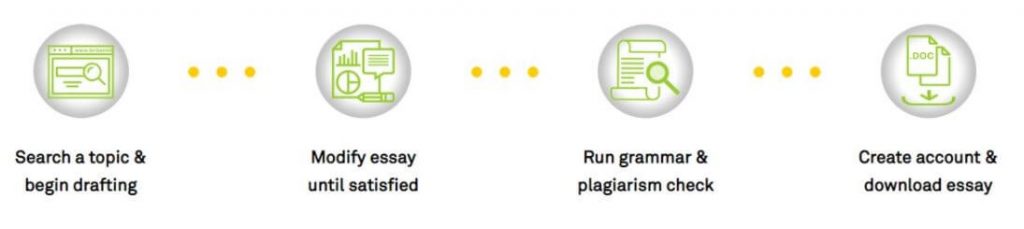
    Before using the Essaybot or Essay Typer, you begin by assigning it a title or a topic. Consequently, the Essaybot will gather the information from essays in common and articles in line with what you typed in the search bar.

    How Essaybot works

    The user is responsible for selecting an introductory paragraph the bot now paraphrases to prevent plagiarism and maintain the tone. You can proceed with other paragraphs that fit into the document.

    Whenever you have a challenge in creating beginning or ending sentences, the Essay bot will create avenues for creating sentences that will become paragraphs and fill the whole document.

    Once the AI completes scanning the article, it will evaluate the document to establish grammatical and spelling mistakes.  In addition, it will generate a citation page from its database sources.

    Is Essaybot or Essay Typer Legit?

    Like Essay Typer, Essaybot is a legit website that provides users with a legal AI-powered tool to generate essays from a collection of online sources.

    However, the service is not worth it if you seek an essay to submit because the content is plagiarized. You will be caught if you use Essaybot to generate essays for your assignments.

    From a basic standpoint, it is a legal website with a valid service. Essaybot is legal due to the following reasons:

    1. Terms of Service

    Essaybot is legal because it implements its terms and conditions on its website. The user must agree to those rules before publishing the content generated by the Essaybot.

    Furthermore, it states the disclaimers to save the company if it faces legal consequences. Essaybot is legit and legal because it is a registered company and operates within the existing laws.

    2. Copyrights

    Remarkably, it does not plagiarize content hence making them original and unique. The Essaybot will transfer all copyrights to the user according to the copyright laws. That makes the customer the sole owner of the product and complies with the rules concerning teaching.

    3. Promotes Originality and Flow

    Using Essaybot does not fully guarantee originality, as some of the essays generated by this writing tool cannot meet the plagiarism threshold. It becomes your responsibility to make it original and unique. 

    is Essay Typer legit

    Then again, this AI writing tool processes its content from multiple pages on the web to develop sensible and organized content that addresses the needs of your topic. 

    It can proofread and eliminate all grammatical and spelling errors and structure the essay rightly.

    4. Delivery and Support

    More significantly, Essaybot is excellent at meeting deadlines by creating your content within a few minutes. This website claims it has contacts to seek support if you need any clarifications concerning its services.

    The site has efficient customer support care where you can call anytime to access their service.

    Can you be Caught using Essaybot?

    You will be caught using Essaybot if you submit the resulting essays as homework. Educational institutions use plagiarism scanners like Turnitin and SafeAssign to detect copy-pasting and light paraphrasing.

    The teacher can also catch you by reading an Essaybot essay because it is not logically organized and has grammatical errors.

    In addition, there are special tools that can detect AI-generated content and establish its credibility. Such tools as GLTR (Giant Language Model Test Room) can detect a particular piece generated by AI through its algorithms.

    GLTR can distinguish between the text generated by non-expert readers and human-written text. The tool has a powerful algorithm that uses statistical word distribution in the texts and identifies differences.

    Caught using essaybot essaytyper

    No, it is difficult to catch you by presenting an Essaybot-enabled paper as long as the document lacks plagiarism. That is because the machine paraphrases the content it finds suitable for your essay topic.

    Why Students Use Essay Typer or Essaybot

    Quick Delivery

    As indicated above, Essaybot is an essay writing assistant backed by Artificial intelligence to help maximize time and organize a research paper. If you are operating under strict deadlines, these options can save you from agony.

    For instance, a paper that could take one day or weeks may only need a few minutes of processing before you get the correct version to suit your needs. You will not encounter situations where you struggle to beat deadlines.

    As a way of doing their Research

    Essaybot can offer you an inspirational source when given the title. The tool indicates sentences to paraphrase and generate the content using AI ability. The user does not experience any trouble finding research sources meant to create the content.

    This essay writing tool can identify suitable research sites and enrich your essay with correct and convincing arguments. The bot can reach out to millions of sites on the internet and craft a good essay without much input from you.

    To Plagiarize their Work

    The Essaybot runs its generated content through various plagiarism checkers like Turnitin and eliminates all plagiarism concerns.

    In other words, you rarely encounter plagiarism challenges while using Essaybot since making it 100% original promotes the paper to be authentic.

    Plagiarism is one of the vices that can lead to harsh penalties, such as rejection of your essay or suspension.

    Your paper becomes relevant and authentic if it passes the plagiarism report and indicates that it is at less than 5% safe levels.

    Citation

    example of citing

    The Essaybot operates under an automated process thanks to its citation finder. The role of the citation finder enables it to get your citation effortlessly.

    Remember, an essay paper is never complete without performing proper citations. 

    More importantly, this bot will provide the bibliography by specifying the user details for creating the essay.

    Moreover, it comes fully formatted in the agreed formatting styles and allows you to present it without carrying much worry. However, you must countercheck everything to establish that the tool did excellent work for you are not.

    Writes Topics Automatically

    Once you assign Essaybot a title, it will research and generate the content automatically. The Essaybot can rewrite the content to ensure it passes Copyscape checks.

    Furthermore, Essaybot will produce unique words by paraphrasing the words or using synonyms to escape the plagiarism trap.

    Why AI is not the Best to Write Essays

    Easily Detected by AI Detectors

    Due to technological developments, programmers have tools that can detect AI-enabled texts.  If the institution has such software that can identify such texts, it will disadvantage any student who uses Essaybot to create an essay paper.

    The best practice is to use Essaybot as an inspiration to write good content. Later, you must include your input and refine it to appear original and unique always.

    Can be Flagged for Plagiarism

    Not all content generated by Essaybot could be 100% plagiarism-free. The user has to countercheck and ensures that the traces of similarities are no more. Such requires that your input is vital in making the paper appear unique.

    Deprives Student’s Writing Skills

    The software will deprive the student of analytical skills in thinking and crafting content that promotes versatility. The software makes the student remain dependent on machine input to create an essay which is not acceptable.

    Best Alternatives to Essaybot or Essay Typer

    If you fail to use Essaybot, you can use some alternatives as indicated below:

    Conversion.ai

    Such can create copies using artificial intelligence. This tool assists copyrighters and internet marketers in breaking writer’s block. AI, also known as Jarvis, can still write Facebook ads and send marketing emails effortlessly.

    Writesonic

    One can always involve this software when you desire to create high-performing landing pages. Furthermore, this software can write great product descriptions, blogs, and ads within seconds. 

    Once you assign a topic, it will generate the correct content to suit your preferences.

  • SafeAssign Matching another Student’s Paper? How to Handle it

    SafeAssign Matching another Student’s Paper? How to Handle it

    Many institutions of higher learning, like colleges and universities, will require students to submit their assignments through plagiarism-checking tools such as SafeAssign. Some check scans and SafeAssign reports say their papers match other students.

    What could be the reason? In this guide, we explore this issue based on the wisdom we got from our experienced homework writers, who work 24/7 to help customers score good grades.

    This tool is meant to prevent academic cheating by detecting and flagging similarities between the paper you have submitted through it and other papers within its database. 

    SafeAssign utilizes a similarity score to determine the level at which your paper has been plagiarized.

    What it does is match your text to other texts from its database. The database can contain other students’ papers, research papers, library sources, and so on. 

    However, many students do not know why their SafeAssign matches another student’s paper. The next section will explore the most probable reasons why this happens. 

    Why does your SafeAssign Report Match another Student’s Paper

    1. Scanning the References Page

    SafeAssign report

    References are one of the main reasons why your SafeAssign is matching another student’s paper. I know you may be wondering why this is so when references should be formatted similarly. 

    Well, the reason why this happens is that SafeAssign will also scan your reference page.

    The tool scans the whole paper to ensure that there is no text similarity between your paper and other papers that have been submitted.

    Sometimes, your paper may contain similar references to another student’s paper. In such a case, your paper will match, and it will be flagged.

    However, it should be noted that when your paper matches another student’s paper due to references, it is not considered plagiarism or an academic violation.

    What you should do is notify your instructor or not to scan the reference page in SafeAssign. 

    2. Matching of a few Long Names

    This is also a major reason why your SafeAssign is matching another student’s paper. The reason why this happens is that SafeAssign has been designed to detect matching texts.

    If you have a few long names, they will be considered text, and if the same long names appear on another student’s paper, your paper will be matched to that paper. 

    In most cases, similarity or plagiarism-checking tools will match a maximum of 3 to 4 words within a sentence. This is SafeAssign detects any copy-pasting, whether intentional or accidental.

    If you use long names with more than 3 words, your paper may match another student’s paper if they have used the same words.

    3. Matching Long Institutional Names

    As aforementioned, SafeAssign has been designed to detect similarities within the text. When more than 3 words that follow each other within a sentence are matched with text from another student’s paper, the paper can be regarded as plagiarized. 

    This applies to long institutional names that may appear within several students’ papers. And because SafeAssign checks previously submitted papers, it will show any match between your paper and other students’ files.

    For example, if students from a particular institution with a long name are to submit their papers through SafeAssign, then the tool will match the institutional names and consider the papers plagiarized.

    However, this should not worry you because it is not plagiarism in the real sense. 

    4. Use of Direct Quotes

    This is a major reason your paper will be matched to another student when submitted through SafeAssign.

    SafeAssign matching quotes

    Having direct quotes within your paper and not citing them appropriately is a sure way of matching your paper to the source of the quote. 

    To avoid being matched, it is important to appropriately cite the direct quotes using in-text citations.

    At the same time, you are required to italicize the quotation and put them in quotation marks (“…”). This will ensure that your paper is not matched to the source of the text. 

    How to Handle your Paper Matching Another Student’s Paper

    1. Study the report

    You should always study SafeAssign’s similarity score to determine whether the parts that have been highlighted are indeed plagiarized.

    report matching other students

    As aforementioned, some long words can be used in different papers, and they can be flagged as plagiarized works.

    Though this is the case, it should not be treated as plagiarism in reality.

    This is the reason why it is imperative to study the report so that you can consult your instructor and notify them that the matching text has not been plagiarized.

    On the other hand, you should study the report so that you can paraphrase or rewrite the matching areas. This will remove any plagiarism from your paper.  

    2. Contact the Teacher

    This is always recommended when your paper matches another student’s paper, and it is not a case of plagiarism.

    Papers can match on SafeAssign due to reasons like long institutional names, long names, and references. In such a situation, you cannot rewrite or paraphrase such text because it should remain in its original form.

    This is why you should contact your teacher so that they can advise you on the way forward; at the same time, you can explain to them why the paper has matching text using evidence. Your teacher will understand the situation. 

    3. Paraphrase the Matching Text

    This is the most pragmatic way of handling a paper that matches another student’s paper.

    After going through the SafeAssign report, you should take note of the parts that match and then paraphrase them.

    This will change the sentence structure and therefore make your work unique. 

    4. Check the Plagiarism Score before Submitting

    You should always check the plagiarism score before submitting it to ensure your paper does not exceed the minimum score.

    For example, some institutions and instructors will accept submissions with less than 5% score. Others will be lenient and accept submissions that do not exceed 25%. 

    Once you check the plagiarism score, determine whether your paper’s score is within the limit. You can remove plagiarism by paraphrasing or rewriting the matching parts if it exceeds the limit. 

    How to Prevent Plagiarism and Papers Matching Another Student’s Paper

    1. Hire an expert writer

    We Have the Best Writers

    Expert or professional writers have the skills and experience to write plagiarism-free papers that do not match other students’ papers.

    If you need to prevent plagiarism, you should hire an expert writer from an essay writing service provider. 

    2. Paraphrase the Contents you Copy

    You should always paraphrase any work that you use for content in your paper.

    If you copy-paste another paper’s content, then it will be considered a plagiarism case. Paraphrasing is reading something and writing it in your words. 

    3. Avoid Copying Online Content

    Online content will always be visible to SafeAssign when scanning for similarity. Therefore, avoid copying online content because it will be matched.

    At the same time, some websites may contain papers that are similar to your paper. In some cases, students will be tempted to copy the papers and submit them as their own. Avoid such online content. 

    4. Cite and Reference your Sources

    Always cite the content that is not common knowledge or your own using in-text citations to avoid playgirls in a situation where your paper matches another student’s paper.

    If you cite the source, make sure that you also reference the citation at the end of the paper. 

    5. Copy Points only, not Text

    You should only copy the points that have been presented and rewrite or paraphrase them using your words.

    Do not copy the text that makes the points. If you copy the text, your paper will be plagiarized. 

    6. Write from Scratch

    You should always train yourself to write from scratch instead of copy-pasting some parts of your paper.

    If you write from scratch, there is a high probability that your paper will not have any text that matches another student’s paper. 

    Why does SafeAssign Highlight my References?

    SafeAssign highlights your references because other students’ papers have also used the same references. It is not an academic crime to use similar references from peer-reviewed sources.

    Even if SafeAssign highlights your references, it should not worry you because references are there to be used by all students. Such highlights should be omitted or disregarded.